
Create your organization
One account for your business or group. Add locations, team members, and branding once.
Organization → locations → codes → measure → update once. Built for owners who run more than one touch point and need to know what performs.
One account for your business or group. Add locations, team members, and branding once.
Tables, counters, rooms, and screens each get a code that opens your storefront — NFC tap or QR scan.
No app required. They browse spotlight, links, games, and video, and can leave a Google review in one tap.
See scans and NFC taps per touch point — waiting room, tables, restroom, bar — so you know which spots sell.
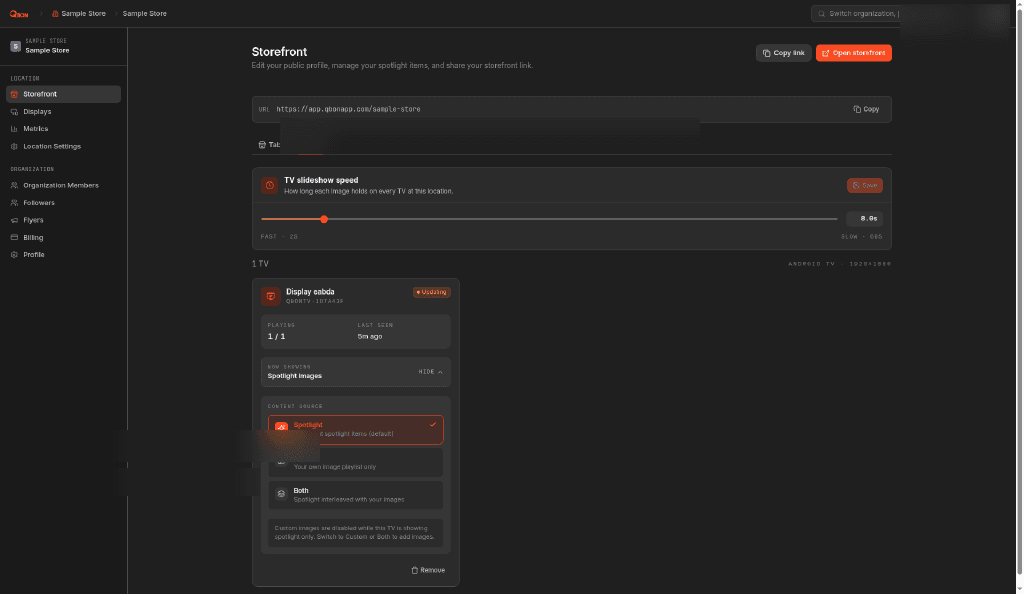
Change tonight's special in the merchant portal and every touch point updates together.
One edit · Every channel
Change the spotlight in the merchant portal and the same update reaches stickers, NFC taps, guest phones, and Qbon TV screens.
Merchant portal
You edit the spotlight

Spotlight

Crop & publish

TV · Spotlight
Tonight's special → publish
Table sticker
QR scan
Counter
NFC tap
Guest phone
Same storefront
Qbon TV
Spotlight sync

Per touch point
Scans and NFC taps roll up by placement so you can double down on what works.
Example — scans by touch point (7 days)
Waiting room
NFC tap + scan
142
Dining tables
QR on sticker
89
Restroom mirror
QR scan
34
Bar top
NFC tap
56
Sample numbers for layout only — your portal shows real counts per code and location.
NFC tap counts
Tap or Scan stickers record taps separately from QR scans — ideal for counters and restrooms where guests tap without aiming a camera.
Every spot sells
Table, waiting room, and bathroom codes can highlight different links — more specials, bookings, or reviews from the same business without guessing which placement performs.
Locations + touch points
Roll up by site or compare placements inside one venue — each code is a channel you can optimize.
Reorder blocks, swap spotlight images, and publish to every location from the merchant portal at portal.qbonapp.com.
Open merchant portal →